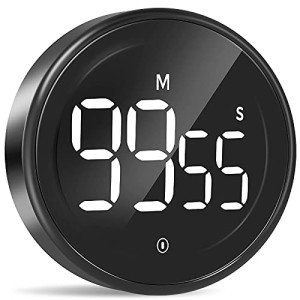
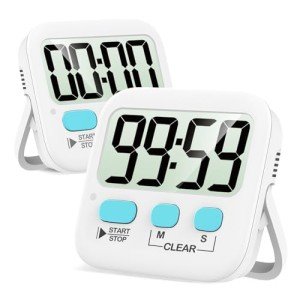
Maintenance & Troubleshooting
To prevent mechanical seizing, avoid "over-winding" analog timers beyond their maximum marked duration, which can permanently deform the internal power spring. For digital units, clearing static buildup with a grounded touch before handling helps protect sensitive logic boards from invisible discharge damage.
Common Failure Modes
Mechanical and electronic timers are subject to specific degradation patterns from repetitive daily use.
- Internal gears can suffer from gear tooth wear. Prevention: Rotate the dial slowly and avoid rapid, forceful resets to preserve the integrity of the plastic teeth.
- The primary control button may experience switch contact wear. Solution: Use a specialized electronic contact cleaner spray if the start button requires multiple presses to register.
- Repeated physical interactions with the device can lead to joint loosening. Prevention: Periodically tighten external housing screws with a precision driver to stop vibrations from backing out the fasteners.
- In digital models, the display or logic might fail due to static discharge damage. Prevention: Use an anti-static desk mat in dry environments to bleed off surface charges before touching the device interface.
- The internal power regulation might succumb to capacitor dry out. Solution: Store the unit in a cool area to slow the electrolytic evaporation that leads to dimming displays.
- Mechanical spring-wound timers often face spring elasticity loss. Solution: Store the timer in the "zero" or un-wound position to prevent the metal from taking a permanent set.
- Misalignment of the rotating bezel can be caused by shaft misalignment stress. Prevention: Ensure no heavy objects are stacked on top of the timer face during office moves or storage.
Environmental Stress Factors
External conditions in your office or workspace can significantly impact the precision of your timer.
- Fine particles from paper or nearby electronics create a dust load. Prevention: Use a can of compressed air to clear the gaps around the rotating bezel once a month to keep the movement grit-free.
- Excessive heat near windows or monitors leads to temperature extremes. Prevention: Move the timer at least six inches away from laptop exhaust vents to avoid warping the internal polymer gears.
- Prolonged placement in direct sunlight results in high UV exposure. Prevention: Position the device away from south-facing windows to protect the plastic casing from becoming brittle and prone to cracking.
Key Components
Modern productivity timers rely on a blend of precision mechanical parts and electronic circuits.
- The gear transmission system converts the spring's energy into steady movement. Maintenance: Listen for grinding noises; an audible "click" usually indicates a tooth jump that requires professional realignment.
- Smart digital timers rely on electronic control boards to manage interval programming. Maintenance: Keep firmware updated if applicable and avoid high-moisture areas to prevent circuit traces from corroding.
- To ensure long-lasting cordless operation, a robust battery system is integrated into the base. Maintenance: Remove alkaline batteries if the unit won't be used for over a month to prevent caustic leak damage.
- The exterior polymer shell provides the necessary impact resistance. Maintenance: Clean with a pH-neutral microfiber cloth to avoid chemical solvents that can craze the plastic surface.
- The visual clarity of the countdown is maintained by a high-quality glass panel. Maintenance: Inspect for hairline fractures; even small chips can allow humidity to enter and gum up the mechanical movement.
Related Categories
If you are researching full-room setups, you may also want to review the failure expectations for these related devices: