Maintenance & Troubleshooting
Regularly cleaning your laminator's rollers with a dedicated cleaning sheet prevents adhesive buildup from transferring onto your pouches and causing unsightly optical distortions. Ensuring your document is perfectly bone-dry before insertion is the only way to prevent internal steam bubbles from forming during the high-heat bonding phase.
Common Failure Modes
Even the highest quality laminating sheets can fail if technical parameters are ignored during the thermal bonding process.
- Internal bubbles or silvering often occur due to adhesive bond failure; increase the laminator temperature slightly or slow the feed rate to ensure a complete thermal melt.
- Excessive heat applied to the thin plastic layers can lead to permanent heat warping; use a protective carrier folder to distribute thermal energy more evenly across the pouch surface.
- Over time, frequent bending of a laminated item can cause delamination; leave a minimum 3mm border of plastic-to-plastic contact around the paper edge to maintain the structural seal.
- Exposure to direct sunlight can trigger UV embrittlement; apply a UV-protective spray or house materials in shaded areas to prevent the polymer chains from breaking down.
- Using low-quality pouches in high-heat machines may result in polymer softening; always match the pouch's micron rating to the specific heat capabilities of your laminating hardware.
- If the adhesive layer is compromised by age or poor storage, you might notice acrylic clouding; store unused pouches in a cool, dark environment to prevent the adhesive from oxidizing.
Environmental Stress Factors
The longevity of your laminated materials depends heavily on the environment where they are stored or displayed.
- Storing your supplies in damp basements can lead to high humidity acceleration; use airtight containers for bulk storage to keep the paper-receptive adhesive layers dry.
- Outdoor signage is particularly vulnerable to outdoor weathering; select high-micron, 10-mil thickness pouches for any items exposed to wind or rain to increase rigidity.
- In industrial settings, a high dust load can ruin a seal; wipe down the document and pouch with an anti-static cloth immediately before feeding the machine.
- Extreme seasonal shifts in a warehouse can cause temperature extremes; avoid storing finished products near heaters or loading docks where rapid thermal expansion can snap the bond.
Key Components
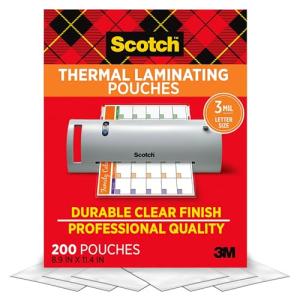
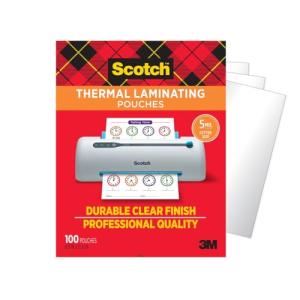
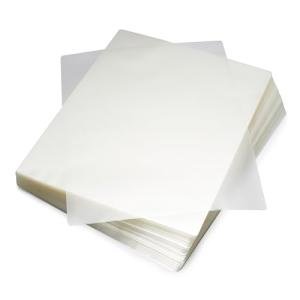
Laminating pouches are sophisticated multi-layered tools engineered for clarity, heat response, and structural protection.
- The primary protective barrier of every pouch is the polymer shell, which acts as the outer armor against moisture and physical abrasion.
- Inside the shell sits the adhesive bond layer, the heat-sensitive core that determines the final clarity of the document.
- To prevent the plastic from breaking down during long-term storage, manufacturers include a preservative system to maintain chemical stability over several years.
- Specialized matte pouches utilize a unique surface coating to diffuse light reflections and improve legibility in bright office settings.
- The structural integrity of larger laminated posters is maintained by the structural housing provided by the pre-sealed edge of the pouch.
If you are researching comprehensive document protection and archiving, you may also want to review the hardware durability and failure risks for these related devices: