Maintenance & Troubleshooting
Regularly cleaning the internal dispensing slot prevents the buildup of adhesive residue that can cause notes to tear or jam. Periodically wiping the non-slip base with a damp cloth restores the grip needed to prevent the unit from dragging across and marring your desk surface.
Common Failure Modes
Daily use of desk organizers can lead to mechanical and material fatigue that hinders accessibility and aesthetics.
- Repeated physical impacts or drops can lead to an Impact Fracture. Prevention: Opt for high-impact polystyrene or weighted metal housings if the unit is positioned near the edge of a high-traffic desk.
- Frequent movement of a holder across a desk surface often causes Surface Scratching. Prevention: Ensure the bottom silicone or felt pads are free of grit to avoid grinding abrasive particles into the furniture finish.
- Overfilling your holder can lead to Overload Deformation. Solution: Only load the specific stack height recommended by the manufacturer to prevent permanent bowing of the side walls.
- The breakdown of glues in multi-material holders often results in Adhesive Bond Failure. Solution: Keep the unit away from heat-generating electronics that can soften the factory adhesives used to attach bases or nameplates.
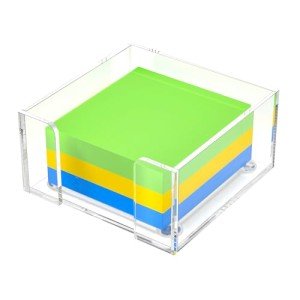
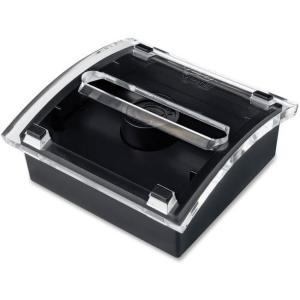
- Transparent desktop organizers are particularly susceptible to Acrylic Clouding. Solution: Use only pH-neutral, ammonia-free cleaners to avoid a chemical reaction that creates microscopic surface crazing.
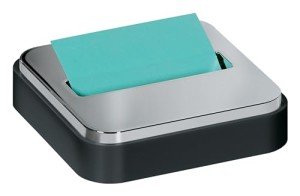
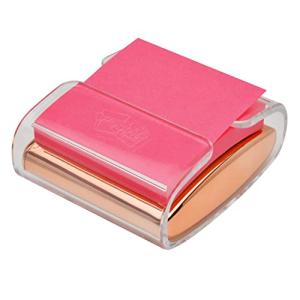
- Internal mechanisms in pop-up dispensers can suffer from Spring Elasticity Loss. Solution: Avoid leaving the dispenser empty for long periods; keeping a fresh stack loaded helps maintain the spring’s intended operating tension.
- Constant handling of the edges during refills may eventually cause Coating Peeling. Prevention: Handle the unit primarily by its weighted base rather than the top decorative rim to reduce oils that degrade the paint bond.
Environmental Stress Factors
The office environment plays a critical role in the preservation and functionality of your desktop organization tools.
- High levels of airborne particles contribute to Dust Load. Prevention: Use a dispenser with an enclosed top or a lid to shield the note's adhesive from becoming contaminated and losing its "tack."
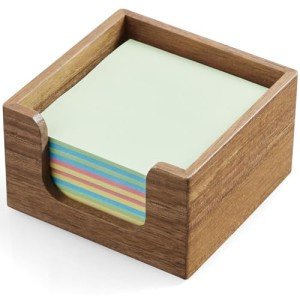
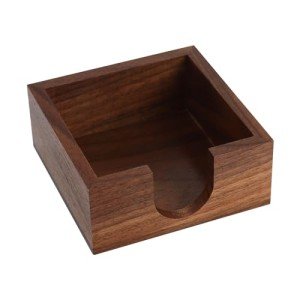
- Desks placed near windows are vulnerable to High UV Exposure. Prevention: Choose opaque metal or wood holders for sun-drenched desks to prevent the photo-degradation that turns clear plastics brittle.
- In damp office basements, High Humidity Acceleration can warp notes. Prevention: Maintain a stable indoor humidity level (40-50%) to ensure the paper fibers do not swell and jam inside the dispensing slot.
Key Components
Every quality note holder is engineered with specific parts that ensure stability and ease of use throughout the workday.
- The Structural Housing provides the necessary weight. Research Tip: Look for a housing with a low center of gravity to ensure one-handed dispensing without the unit tipping.
- A high-quality Polymer Shell offers impact resistance. Research Tip: Check for "ABS plastic" markings, which indicate a material more resilient to daily stress than cheaper, more brittle alternatives.
- The bottom of the unit often features a specialized Adhesive Bond Layer or non-slip pad. Research Tip: Verify the pad is non-marking to protect light-colored desk surfaces from chemical staining.
- In advanced dispensing models, the Spring Elastic Component facilitates the pop-up action. Research Tip: Steel leaf springs generally offer a longer cycle-life than plastic tension tabs.
- Many modern designs utilize a Fastener System for disassembly. Research Tip: Check if the unit uses standard screws rather than glued seams if you need to perform deep cleaning or internal repairs.
Related Categories
If you are researching full-room setups, you may also want to review the failure expectations for these related devices: