The primary engineering failure in desktop staplers is not typically the metal housing, but the gradual loss of kinetic energy caused by spring fatigue and driver blade misalignment. Most consumer-grade staplers eventually suffer from internal magazine jams because the constant compression cycles weaken the tension springs, leading to insufficient force when the driver attempts to pierce dense paper fibers. Analyzing the pivot-point tolerances and the gauge of the return spring is essential before selecting a tool for high-volume document binding. You can skip the listings to read our forensic breakdown of hardware longevity and repair tips.
Staplers & staple removers
Keep your papers neatly organized with reliable staplers and easy-to-use staple removers
Product List
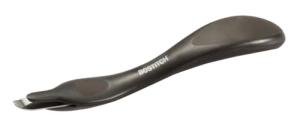
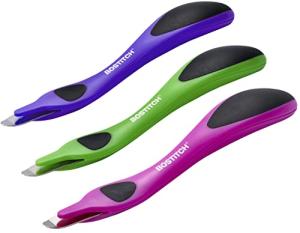
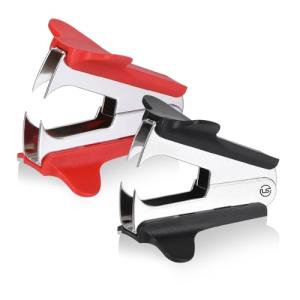
Magnetic Staple Remover, Black
Bostitch
Product Review Score
4.63 out of 5 stars
68 reviews$5.99 $4.49
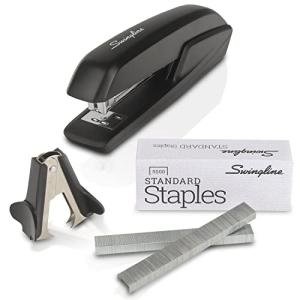
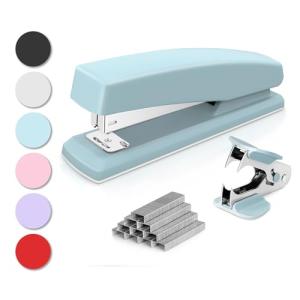
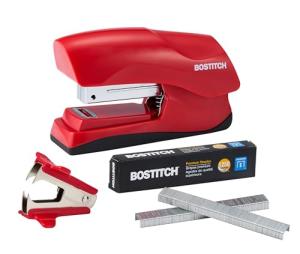
Swingline Jam-Free Stapler Pack
Swingline
Product Review Score
4.24 out of 5 stars
129 reviews$8.24 $6.99

Maintenance & Troubleshooting
Keep the staple magazine free of paper dust and microscopic metal shavings by using compressed air once a month. Applying a single drop of dry PTFE lubricant to the hinge and driver track will prevent the metal-on-metal friction that lead to permanent handle misalignment.
Common Failure Modes
Mechanical stapling systems are prone to specific structural issues that can impede document workflow and damage paper fibers.
- Repeated mechanical stress often leads to cyclic fatigue failure; inspect the magazine for hairline cracks and replace the unit if the metal shows signs of warping.
- Internal blockages frequently occur due to sliding track wear; smooth out burrs on the rail with light sandpaper to allow the staple strip to advance freely.
- The loss of firing power is usually attributed to spring elasticity loss; avoid leaving staple strips under full tension during long periods of non-use to preserve spring memory.
- Small pins and clips within the hinge can suffer from small hardware failure; tighten loose pivot screws immediately to prevent the handle from detaching or twisting.
- Excessive force applied during a jam can cause impact fracture; use a dedicated staple remover rather than hammering the stapler head when a jam occurs.
- Misaligned staples that crumple upon impact are often the result of joint loosening; check the main pivot bolt for play and realign the striking head with the anvil.
Environmental Stress Factors
The environment in which you store and use your office tools dictates the rate of material degradation and mechanical friction.
- Internal metal components are highly susceptible to high humidity acceleration; store tools in climate-controlled drawers to prevent surface oxidation that increases firing resistance.
- Fine particles from paper and the atmosphere contribute to dust load; wipe the interior sliding tracks with a microfiber cloth to prevent the pusher mechanism from seizing.
- Exposure to harsh sanitizers in a shared office can lead to cleaner compatibility conflict; use pH-neutral wipes on polymer grips to prevent the plastic from becoming brittle or tacky.
Key Components
A stapler is a sophisticated assembly of parts designed to convert manual pressure into a high-velocity piercing force.
- The backbone of the device is the load bearing frame, which serves as the structural foundation for every strike.
- Consistent staple delivery is managed by the spring elastic component, which provides the forward pressure necessary for continuous firing.
- The main movement of the handle is facilitated by a robust hinge pivot assembly, which dictates the accuracy of the staple's entry angle.
- To protect the user and the desk surface, many models utilize a polymer shell to dampen vibrations and improve grip ergonomics.
- The underlying mechanism is held together by a precise fastener system that keeps the internal magazine aligned with the striking blade.
Related Categories
If you are researching professional workstation durability, you may also want to review the failure expectations and maintenance requirements for these related desktop categories:
- Assess the durability and material fatigue of pen cup organizers to keep high-frequency tools within reach.
- Evaluate the hinge and drawer slide reliability of mini drawer sets for desks for storing spare fasteners.
- Review the tension strength and coating durability of binder clips paper clips when managing documents that exceed standard stapling limits.
- Compare the structural rigidity and finish longevity of mesh desktop organizers for comprehensive tool storage.